Auto-invite new colleagues to team events
AutoInviter is an easy cloud service that automatically shares all team calendar events with newly onboarded staff members in Microsoft 365 — no manual forwarding, no missed meetings.
integrates with

How it works
Three steps, then it runs itself
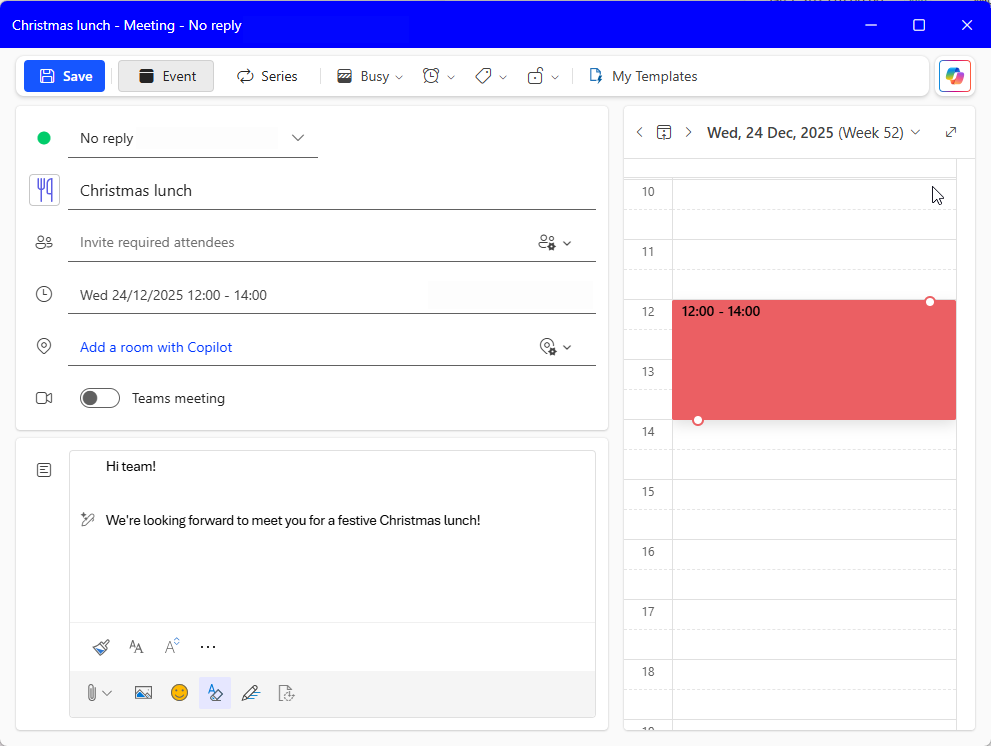
Connect a shared mailbox calendar, sync once, and let AutoInviter keep future invites updated as people join your organization.
You can scope which events are shared to which colleagues by using Microsoft 365 groups or security groups.
Remain in control
Easy-to-use dashboard
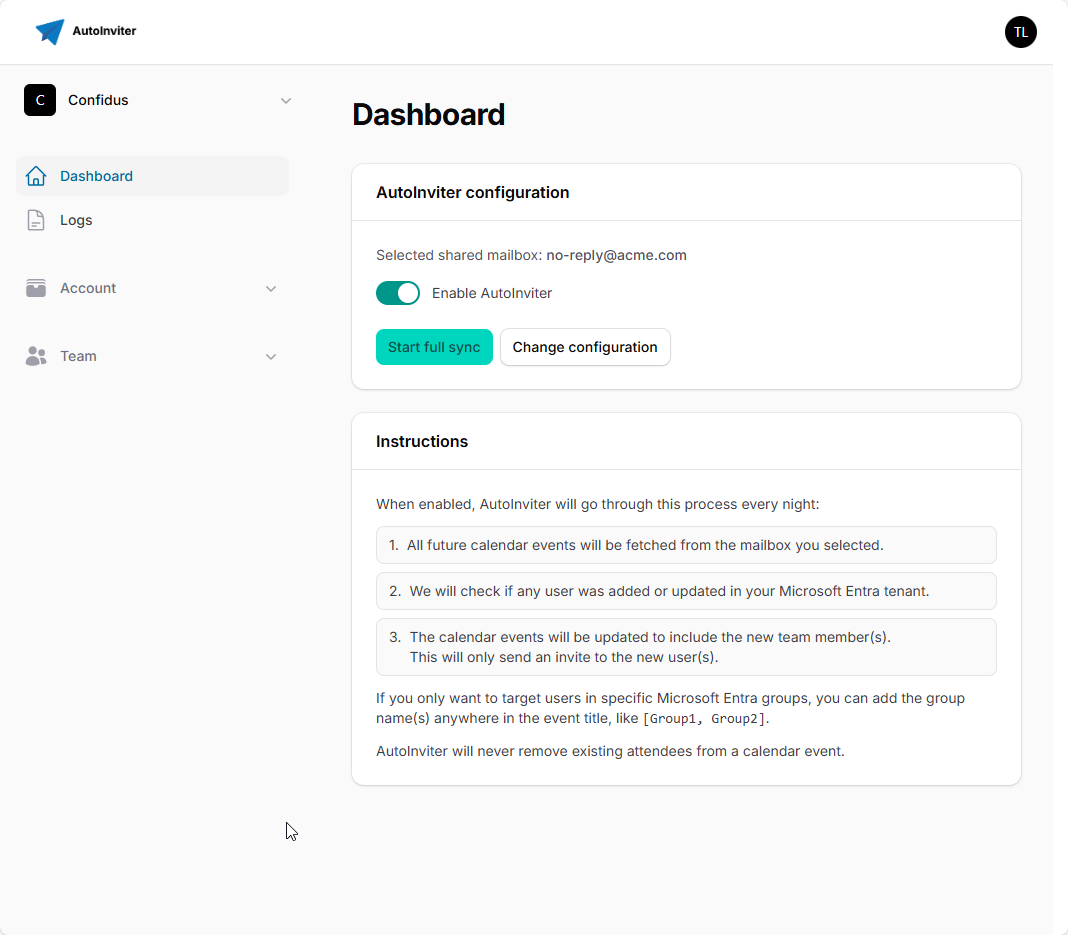
The user-friendly dashboard allows you to enable the automation and to consult all logs at any time.
Once configured, AutoInviter runs in the background and doesn't require any more attention.
Pricing
Free up to 250 users
Start free up to 250 Microsoft 365 members. Above that, contact us for a custom offer.
Free
Enterprise
FAQ
Got a question?
Here are the most common questions to help you with your decision.
AutoInviter is a Microsoft 365 onboarding tool that automatically shares future team calendar events with newly onboarded colleagues.
It connects to a shared mailbox calendar, invites your team to all future events, and then keeps the invites updated automatically as new colleagues join.
The goal is to prevent missed meetings and remove repetitive manual work from HR/IT during onboarding.
Yes. AutoInviter is free up to 250 Microsoft 365 members. It was created out of an IT manager's own frustration, and we are happy to keep it free for small and medium-sized organizations.
Above that, you can get in touch for a custom offer at an interesting price.
Yes. You can scope which calendar items are shared to which colleagues by using Microsoft 365 groups or security groups.
Yes. AutoInviter maintains a transparent log of executed actions (adds/updates/skips) so you can see exactly what happened and when.
You only need to register an App Registration in the Azure portal and grant the required permissions. The setup takes just a few minutes.
After that, you select the shared mailbox calendar and run the initial sync.
Yes. You can disable the job or revoke the Azure App Registration permissions at any time, and AutoInviter will stop making changes.
We offer a free demonstration for companies interested in a paid license. Get in touch and we'll gladly schedule a demo.
Alternatively, you can just start a free tenant and try it out for yourself. Using our group scoping feature, you can send the invites only to a limited group of Microsoft Entra users for testing purposes.
No! Every night, we briefly access your Microsoft Azure tenant to fetch the calendar events from a mailbox you specify, and fetch the users. This all happens on the fly, and the calendar nor the user data is ever stored in our database.
We store almost nothing, except your encrypted settings and the sync logs, all safe within the European Union. The calendar invites are sent out by your own Microsoft tenant.